Burgundy Red RGB: 141, 45, 70 CMYK: 33, 92, 58, 24 HEX: #8D2D46 Pantone: P 208 C
DID YOU KNOW?
The colours of our logo represent the colours of a healthymouth and smile. White for clean & white teeth and burgundy for healthy gums and tongue.
Logo Alternatives
✺ PRIORITIZE THE MAIN LOGO, IF POSSIBLE
Burgundy Red Logomark
Burgundy Red RGB: 141, 45, 70 CMYK: 33, 92, 58, 24 HEX: #8D2D46 Pantone: P 208 C
Burgundy Red Logomark
White RGB: 255, 255, 255 CMYK: 0, 0, 0, 0 HEX: #ffffff Pantone: P 1-1 C
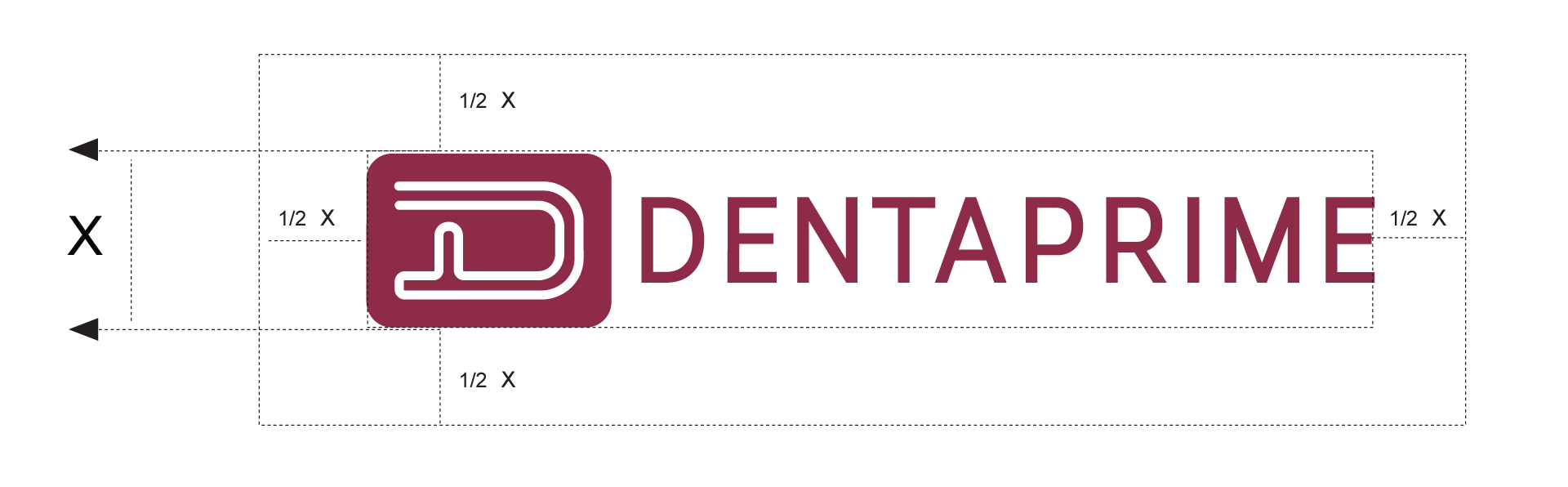
Logo Exclusion Zone
The “exclusion zone” refers to the area around the logo which must remain free from other copy or design elements to ensure that the logo is not obscured.
Minimum Reproductive Size
The Dentaprime logo should never appear in a size smaller than 89 px (digital) and 32 mm (print).
Minimum Digital Logo Size
89 px
Minimum Print Logo Size
32 mm
Logo Background Colour Suggestions
Pure White RGB: 255, 255, 255 CMYK: 0, 0, 0, 0 HEX: #ffffff